
Find your workflow

Explore & Search

Search Mode coverage by creator, category, tool or topic, or browse everything and narrow it down as you go.

19 results

Video · Premiere Gal

Premiere Gal Video Editing Course: Structure for Overwhelmed Editors

Premiere Gal frames her Adobe Premiere course around one idea: editing works best when you have a foundation, not a pile of disconnected tricks. Here’s who it’s for and what enrollment includes.
Sep 27, 2026Watch + read →
Video · Tom Buck

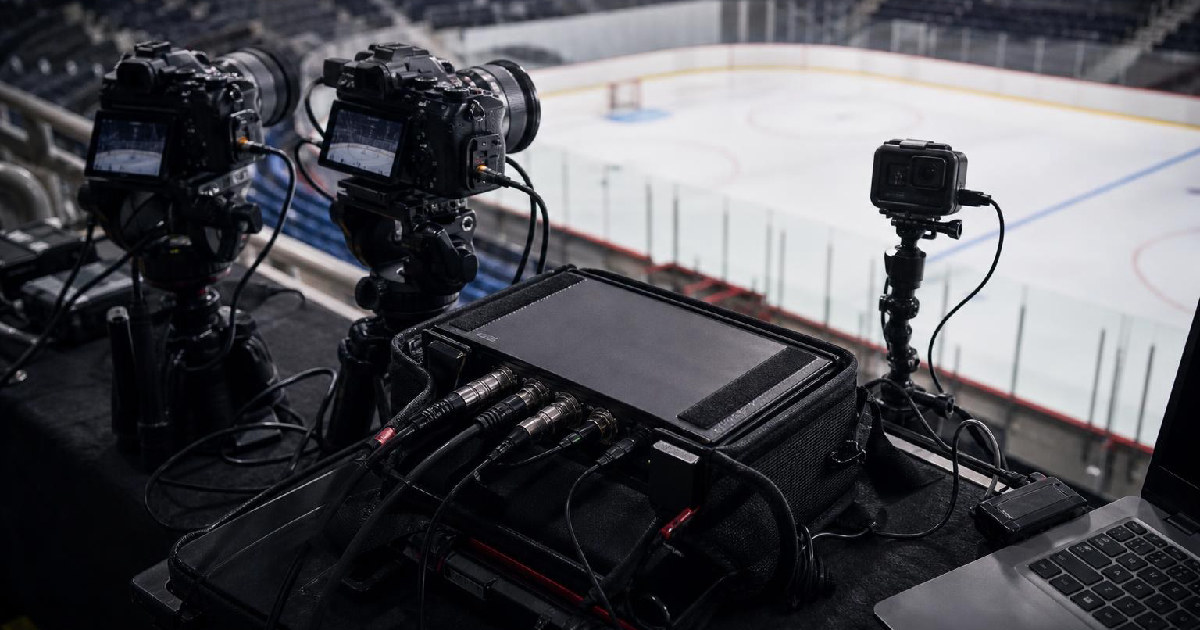
What Tom Buck’s Hockey Broadcast Experiment Says About Building a Multicam Sports Setup

Tom Buck turned a local rink into a stress test for the YoloBox Extreme. The useful part is not the gimmick; it is the way he balanced camera angles, audio, replays, and limited space without pretending the setup was perfect.

Sep 26, 2026Watch + read →
Video · Premiere Gal

Why Premiere Gal’s New Course Is Built Around a Full Editing System, Not Random Tips

Premiere Gal’s three-part workshop argues that editors do not need more scattered tricks. They need a complete Adobe Premiere Pro system that carries them from setup to export.

Sep 18, 2026Watch + read →
Video · Premiere Gal

The Premiere Pro Audio Workflow That Replaces Guessing With a Repeatable Sequence

Premiere Gal’s workshop is less about one magic tool than about the order that makes Premiere Pro audio feel manageable: sync first, repair second, enhance last.

Sep 16, 2026Watch + read →
Video · Casey Faris

How to Make Text Follow Motion in DaVinci Resolve Without Overcomplicating the Track

Casey Faris breaks down four ways to attach text to moving shots in Resolve, from a basic tracker to a full 3D camera solve.

Sep 16, 2026Watch + read →
Video · Premiere Gal

How Premiere Gal Builds a Cinematic Sports Spec Without Shooting New Footage

Premiere Gal shows a five-step way to turn a voiceover script into a polished sports commercial using stock, AI-generated visuals, and a Premiere Pro finishing pass.

Sep 16, 2026Watch + read →
Video · Premiere Gal

What Premiere Gal’s 2025 CapCut Comparison Still Teaches About Social Editing

In a March 2025 sponsored CapCut demo, Premiere Gal showed five social-editing tasks she found faster in CapCut Desktop. Adobe has since narrowed some gaps, especially captions and translation, but the workflow lesson still matters.

Sep 16, 2026Watch + read →
Video

Why a Tracking PTZ Camera Can Replace a Fixed Studio Rig

EposVox’s hands-on Tail 2 showcase is less about flashy zoom and more about a workflow problem: when your camera needs to follow you around the room, a fixed setup starts working against you.

Sep 16, 2026Watch + read →
Video · Casey Faris

The Resolve Workflow Casey Faris Says Pros Use Before Anything Else

Casey Faris lays out a six-step DaVinci Resolve order that treats the edit as the foundation and keeps color, graphics, and audio from becoming wasted work.

Sep 16, 2026Watch + read →
Video · Premiere Gal

Film Impact’s Move Into Premiere Pro Is Really About Faster Editing Choices

Premiere Gal’s update is not just a count of new effects. The useful part is how Film Impact’s tools now sit inside Premiere Pro and change the pace of everyday editing.

Sep 10, 2026Watch + read →
Mode Story

ResolveCon 2026 Is Set for September 25–27: What DaVinci Resolve Creators Should Know

Ground Control’s online DaVinci Resolve event returns September 25–27 with free access, a multi-speaker program and a new home for the live stream.

Sep 6, 2026Read story →
Mode Story

Descript’s Latest Updates Show Why AI Editing Still Needs Better Fundamentals

Descript’s recent releases combine transcript correction, room tone, webcam improvements, canvas changes, and AI features. The through-line is that creators still benefit most when the editor makes ordinary production cleaner and more reliable.

Sep 6, 2026Read story →
Mode Story

YouTube Shorts Is Cleaning Up the Viewing Experience—And Creators Should Pay Attention

YouTube is rolling out a cleaner Shorts interface with Clear Screen mode and other playback changes. Small interface shifts can change how much of a creator’s packaging and calls to action viewers actually see.

Sep 6, 2026Read story →
Video · Premiere Gal

What Video Editing Myths Actually Get Wrong, According to Premiere Gal

Premiere Gal and Leila swap editing rules for practical judgment, showing where creators can ignore internet advice and where the details really matter.

Sep 6, 2026Watch + read →
Video · Casey Faris

How Casey Faris Turns DaVinci Resolve From Intimidating App Into a Usable Workflow

The video is less about memorizing buttons than learning a workflow: import, edit, composite, grade, mix, and export.

Sep 6, 2026Watch + read →
Video · Casey Faris

The Resolve Workflow That Turns a Voiceover Into a Finished YouTube Video

Casey Faris’s tutorial is less about one editing trick than a repeatable method: write the voiceover first, map the shots in the timeline, build a rough cut quickly, then refine the project in passes for color, graphics, and audio.

Sep 6, 2026Watch + read →
Video · Casey Faris

Three Ways to Remove a Background in DaVinci Resolve, and When Each One Is Worth It

Casey Faris breaks background removal into three practical paths: key a green screen, lean on Magic Mask, or build a cleaner cutout in Fusion when the shot needs more control.

Sep 6, 2026Watch + read →
Video · Casey Faris

How to Add Text in DaVinci Resolve Without Overbuilding the Shot

Casey Faris breaks text work in Resolve into a simple ladder: basic titles for speed, layered text for control, Fusion for custom motion, and tracking when the graphic needs to move with the shot.

Sep 6, 2026Watch + read →
Video · Casey Faris

The Resolve Editing Mistakes Casey Faris Keeps Seeing, and How to Fix Them Faster

Casey Faris and Dan use three creator videos to show the same pattern: weak openings, avoidable design choices, and too much footage that doesn’t earn its place.

Sep 6, 2026Watch + read →